




Assuming you’ve already read the Introduction to HTML, let’s continue.
What Do You Need?
- The desire to learn.
What don’t you need?*
- A professional HTML Editor.
- A WEB Server.
- A Website.
HTML and Compatibility
Unlike word processors, the HTML language was not created to control the appearance of documents.
Different browsers interpret HTML in different ways. If you intend to create websites professionally, ideally you should install several browser options on your computer (Web Browsers), so you can anticipate how your web pages will look, at least in the most commonly used browsers. Another concern would be the end user’s monitor resolution.
How to Edit and Save
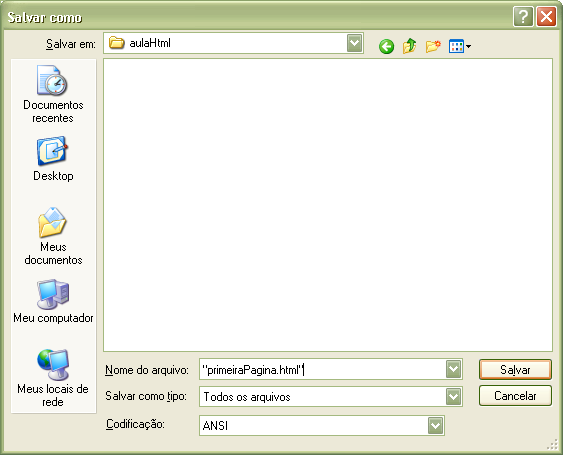
Web pages, as mentioned, are developed using plain text, which means you just need to write the code in a simple text-editing program (such as Windows ‘Notepad’) and then save it as:
Extension: All files (.), naming it with the extension .html (pagina**.html**) or .htm (pagina**.htm**).
- .htm: characteristic of DOS and WINDOWS
- .html: characteristic of UNIX
We’ll use the .html extension in our examples.
Note: if there are two documents with the same name, for example, a file called index.html and another, index.htm, the server will always display index.html. Unless you change the default configuration. Get to Know the Apache Web Server.
Besides plain-text editors, you can use a specialized professional HTML Editor to edit your pages.
Recommended: If you want to be a skilled Web developer, use a plain-text editor to learn basic HTML. And once you know what each tag does, use an editor to speed up the development process.
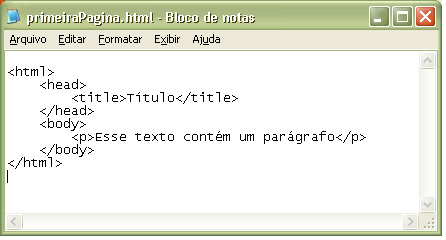
Example:
| |
Let’s go through the explanation step by step:
- This tag tells your browser that this is the beginning of an HTML document.
- Starts the head
- Sets the title
- Ends the head
- Starts the body
- Inserts text with a paragraph
- Ends the document body
- Ends the html document
Only the document’s body (body) is displayed in the browser.
We’ll use the CamelCase convention for file names, so save the file as “primeiraPagina.html”.
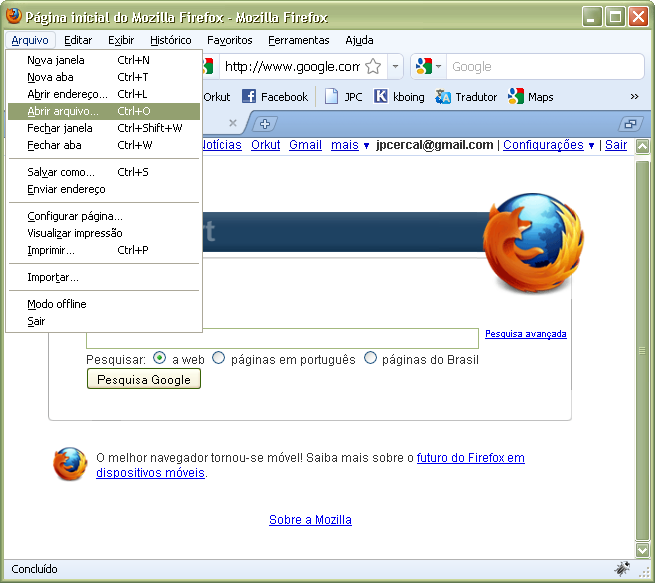
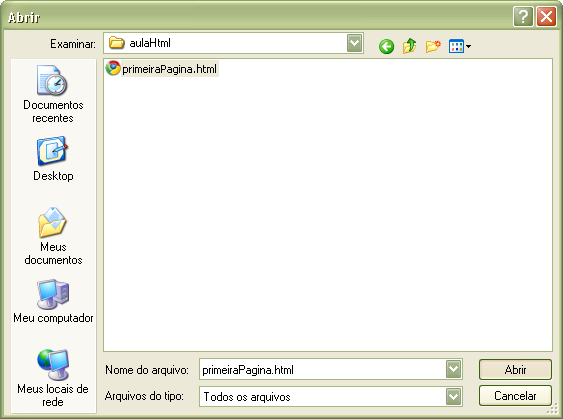
Opening the document in your browser
Follow the steps below:
Research Sources: